Sunday, April 26, 2009

[Programming] executing reading system process in c

I was searching for reading the output of process in c running a process right from c program
system() command you already know I guess is a command used for executing a system command.
system("ls -l");
but here I will tell you a program which will read from a process and will inser its value in string and then you will be able to process it .......


#include
#include
#include
long int file_length(FILE *f)
{
long int pos;
long int end;

pos = ftell (f);
fseek (f, 0, SEEK_END);

end = ftell (f);
fseek (f, pos, SEEK_SET);

return end;
}

char *readfilestr(FILE *f)
{
char *r;
r=malloc(file_length(f)+1);
fread(r,file_length(f),1,f);
rewind(f);
r[strlen(r)-1]=0;
return r;
}
int main() {
FILE *in;
extern FILE *popen();
char *buff;

/* popen creates a pipe so we can read the output
of the program we are invoking */
if (!(in = popen("ls", "r"))) {
exit(1);
}

/* read the output of netstat, one line at a time */
buff=readfilestr(in);
printf("Output: %s", buff);


/* close the pipe */
pclose(in);
}


may be this will help all the developers for linux.

Wednesday, April 22, 2009

Turbo c in linux

turbo c in linux
well i do not recommend you to use Turbo c in linux but if you really want it and can not live with out it ... you will need dosbox.
now you have to make two files ..
1) tc.sh

#!/bin/bash
dosbox "./tc.bat"
#these are contents of tc.sh file

2) tc.bat

cd TC
cd BIN
tc.exe

------------------------
now put these two files in a new folder where a folder of TC is also you have to put in.
if you know a little bit of bat and sh you can modify these two to get your desired result you can even play doom using dosbox.
enjoy ....

Tuesday, April 21, 2009

gtalk in Linux

yes !!! you probably came here to see that is their any way by which I can use gtalk in linux, you probably want to use gtalk in linux because of its VOIP or may be because of its sleekness and ease of use.
Well i guess google has no will to release any of the major softwares for Linux until its is needed.
Like picassa had no replacement for linux of that level which is equivalent to picassa any ways chrome, gadgets and gtalk all are in development for linux for so much of time but google I guess has no will to release it soon.
While talking of google I tried gtalk using wine bt I got faliure every time I tried then i searched a lot on several blogs and net.
Finally I came up with many alternatives which may be of some help to you.
1) Using gtalk (flash) : I know it is not the one you want but it serves the purposeof sleekness and it has many more other features.You can install prism and finally can installl or add link of gtalk(flash) in prism and thus can use it as application.
2) Pidgin : I love this thing .... Pidgin is as easy to use and higly configurable, cool and supporting multi account chat client which also supports jabber which is used by connection of gtalk.
problems with pidgin are
a) it is bloated (not sleek)
b) no voip support (libgingle is out by google so I hope soon a new plugin for voip from pidgin)
3) empathy : empathy is gnome based and voip support is their.
4) jabbin can also be of great help
but the conclusion of the whole this discussion leades me to very preliminary support and development over libgingle and i think we should now leave any hope for gtalk for linux because google is not going too passionatly for it.
chrome for linux is still awaited thus either we hav to choose alternatives or make wine more stronger.
I guess code weavers can do any thing they want if they are really serious about it ... chromium is an example.
last but not the least that i love pidgin it do the job for me.
click here to learn to configure pidgin.

Sunday, April 12, 2009

Use Linux within Windows


YES!!! this in not a joke ...
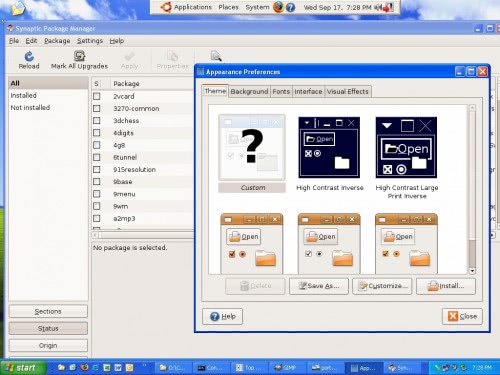
now you can install Linux inside windows While using windows.... not with virtualization, but using cygwin and its ubuntu version is out..
see screen shots of this new Linux :)
yes and now you will no need to have different partition for linux and dual boot the computer.
Just install ubuntu like an application and enjoy every thing you can do with linux within windows.
download it from here.